← Back to Blog

print("Hello, World!")...again

2025-06-29

#python#re-learning#gaming

Relearning to Code With a Pong Game

I started this project for a simple reason: I wanted to rebuild my relationship with code.

Python was the first language I ever learned, back in university (over a decade ago). It shaped how I think about problems, structure logic, and reason through systems. Over time, as my career shifted, I spent less time writing code and more time coordinating people, timelines, and outcomes. Valuable work, but different muscle memory.

Coming back to Python felt like picking up an old instrument. You remember the shape of it, but your fingers are slower, less precise. I’m hoping that this working through this project will help the music sound a little bit better.


Why Pong

Pong is deceptively simple. Two paddles. One ball. A score. A classic.

But inside that simplicity is almost every core concept you need to re-learn programming fundamentals:

  • Game loops
  • Input handling
  • Collision detection
  • State management
  • Feedback and polish

It is small enough to finish, but rich enough to teach. That combination makes it a perfect re-entry project.

This project became Pixel Paddle, a minimal Pong-style game built in Python using Pygame.


What I built

At a high level, the architecture is intentionally simple and readable:

  • main.py handles application startup and switches between menu and gameplay states
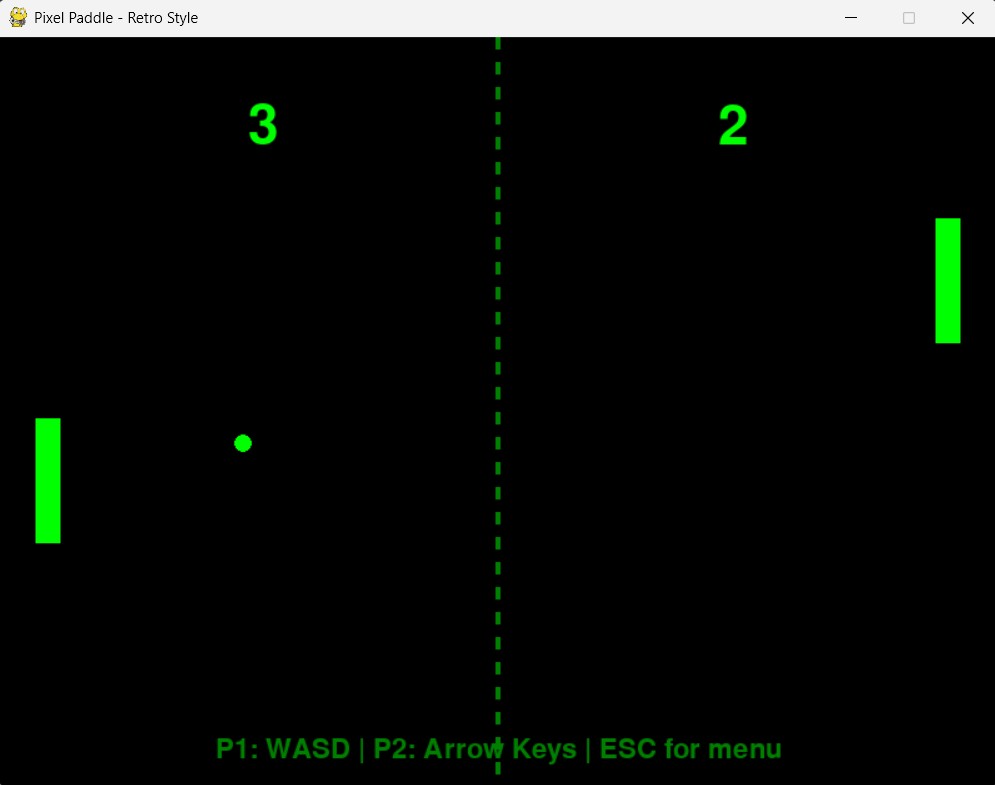
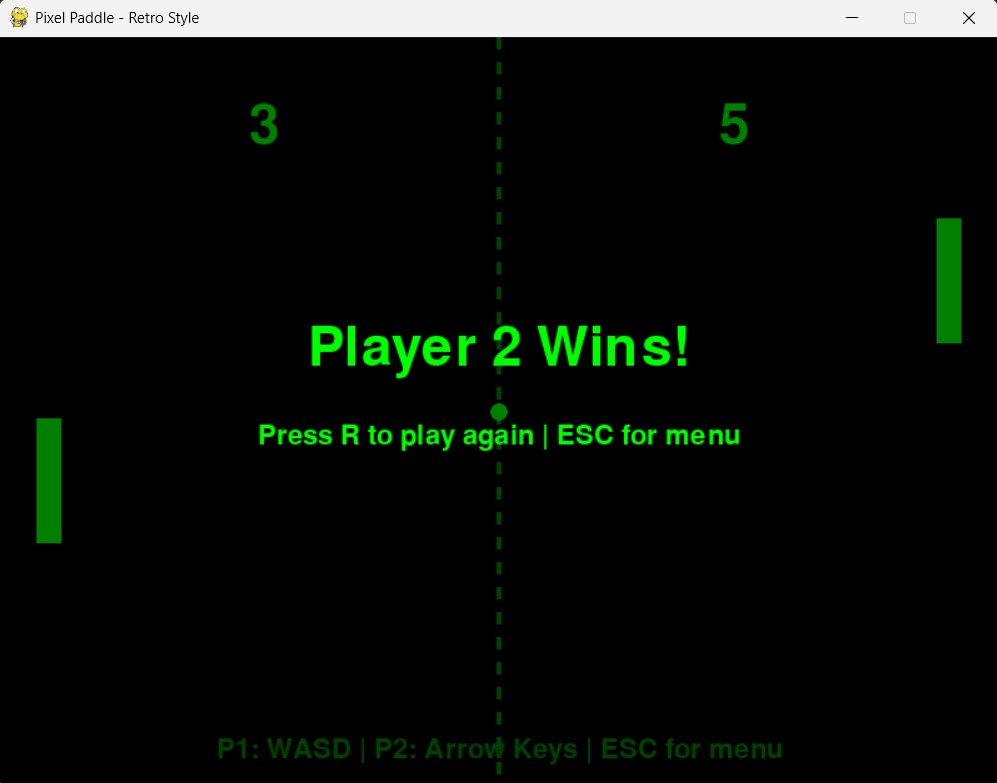
  • game.py runs the match logic including paddles, ball, scoring, and game-over flow
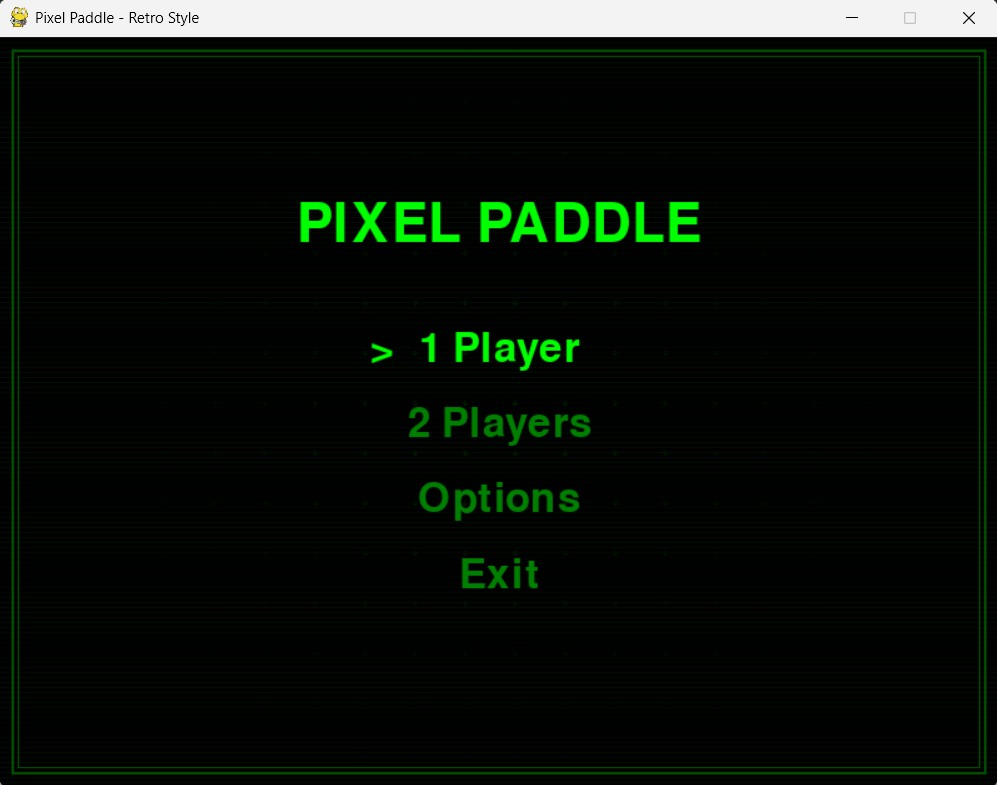
  • menu.py manages the UI, including animated background effects
  • ball.py and paddle.py define movement, collisions, and constraints
  • sounds.py generates simple synth-based sound effects
  • settings.py centralizes configuration and tuning

Even for a small project, this separation made a big difference. It kept the mental model clean and made iteration faster.

Pixel Paddle menu screen


The tricky parts

Some challenges were more subtle than expected.

1. Collision response that feels fair

Simply reversing the ball’s direction feels wrong. I ended up calculating the bounce angle based on where the ball hits the paddle. Edge hits send the ball off at steeper angles, center hits stay more neutral. That small detail dramatically improves control and feel.

2. The “ball gets stuck” problem

If the ball overlaps with a paddle for more than a frame, the collision logic can flip directions repeatedly. The fix was simple but non-obvious: after detecting a hit, I slightly reposition the ball outside the paddle before continuing movement.

3. AI that is fun, not perfect

A perfect AI is boring. I added a dead zone and reduced movement speed so the computer opponent feels human. Tuning that balance took more time than expected. Too weak feels pointless, too strong feels unfair.

4. Real-time audio is harder than it looks

I wanted simple sound effects without external assets, so I generated sine-wave tones directly in code. That meant building sample arrays and handling a fallback path when audio generation fails, such as when numpy is unavailable. Small feature, surprisingly layered complexity.

5. Polish vs time

I added a retro CRT feel with scanlines, glowing elements, and subtle animation. None of this was required, but it gave the project personality. Engineering projects rarely involved UI consideratinos, so this was a new challenge for me. To make things look pretty through code.


Design choices I’m glad I made

  • State-based flow
    Clean transitions between menu and gameplay kept everything predictable.

  • Config-first design
    Centralizing values in settings.py made experimentation fast and painless.

  • Simple math over complexity
    Pong does not need a physics engine. Clear math beats abstraction here.

  • A cohesive visual style
    Green-on-black with subtle motion gave the game identity without overengineering.

Pixel Paddle game screen


What relearning taught me

Rebuilding something small reminded me how much knowledge sticks with you, even after time away. Event loops, frame timing, and input handling felt fuzzy at first, but they came back quickly once I started building.

More importantly, it reinforced something I often forget: momentum matters. Small, finished projects create confidence. They force you to touch every part of the system, from logic to visuals to polish.

That kind of end-to-end ownership is hard to replicate in larger, more abstract work.

👉 Explore the full project on GitHub


What’s next

If I extend Pixel Paddle, I would like to explore:

  • Smarter AI using prediction rather than reaction
  • Local or networked multiplayer
  • More expressive sound design and visual feedback
  • A pause screen and post-match summary

For now, though, it is done. And this has gone a long way in rebuilding my confident in what I am capable of.


Final thoughts

This project reminded me why I started building in the first place. For the joy of making something work and understanding why it works.

If you are feeling disconnected from the craft, build something small. Finish it. Then build again.

Pixel Paddle winner screen


Helpful Pong Game Guides and References

These are solid guides and tutorials that helped shape my thinking while building Pixel Paddle. They cover everything from basic game loops to AI behavior and collision handling.

Python + Pygame Tutorials

AI and Game Behavior

Reference Implementations


These were helpful reference points, not templates. Reading multiple implementations made it easier to understand why certain approaches work and where I wanted to do things differently.